Turn your spreadsheet into a map instantly

MapFast transforms your data into maps in no time.
Upload your Excel or CSV file.
No GIS. No code. No headache.
Create a map for free

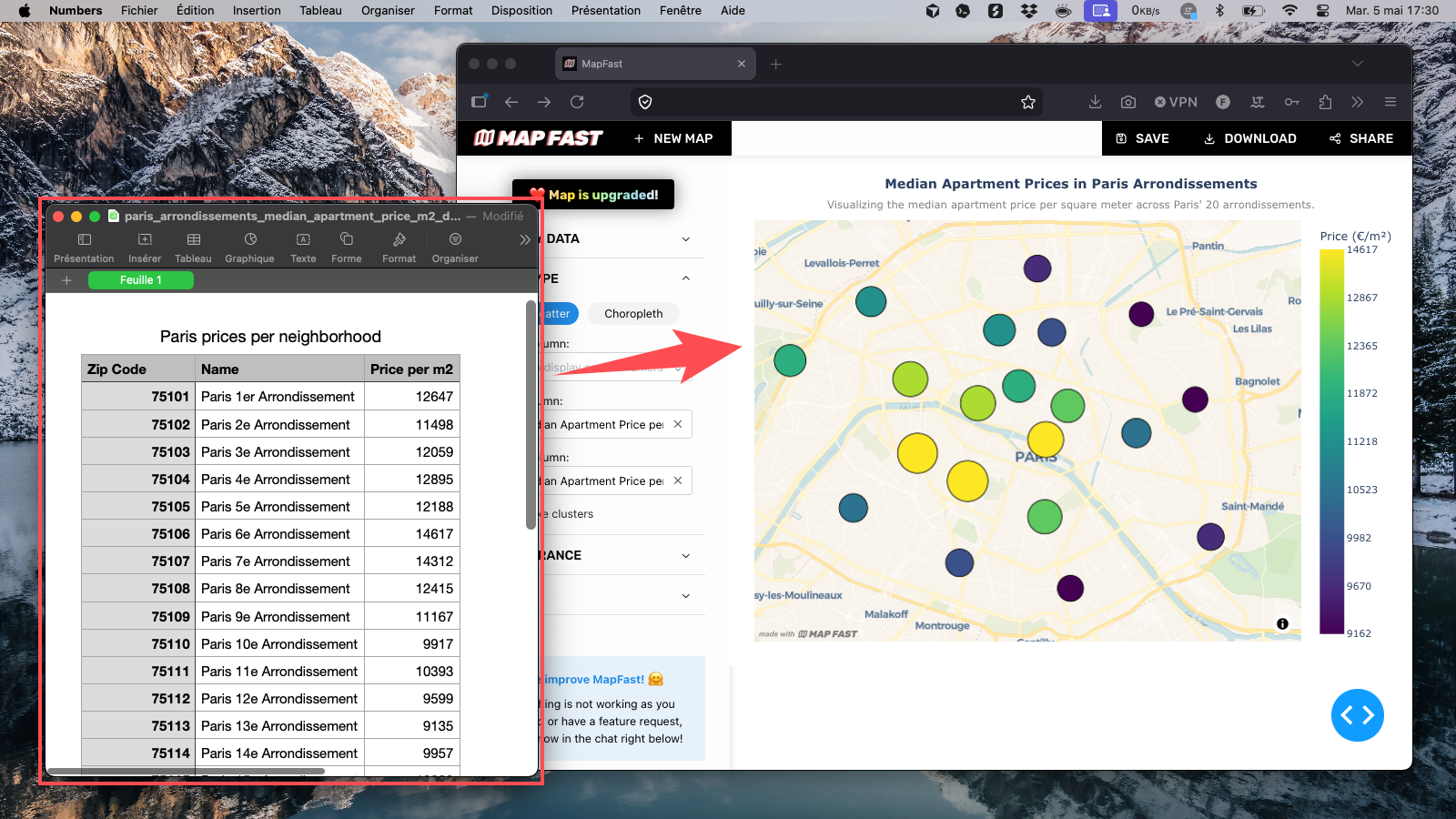
Before and after MapFast screenshot

Who is it for?

MapFast is for anyone who has data with locations and needs to present it clearly, without touching a line of code.

Sales & Operations teams

Visualize revenue by territory, track performance by region, map your customer base.

Real estate professionals

Map prices, opportunities, or coverage zones by district or city.

Marketing teams

Show campaign reach, market penetration, or brand presence across regions.

Analysts & Consultants

Create clean, exportable map visuals for reports, presentations, or client deliverables.

3 steps. That's it.

1. Upload your Excel or CSV

No setup. No formatting required. Just drop your file and MapFast reads your table, detects your location columns, and prepares everything automatically.

Works with country names, city names, regions, addresses, or lat/long coordinates. If your data has a location, MapFast will find it.

2. Review and style your map

Your map appears instantly. Choose your colors, adjust the map type, and add a title, subtitle, labels and legend until it says exactly what you want it to say.

No design skills needed. Every option is visual what you see is what you export.

3. Export as PNG or share interactively

Download a high-quality PNG ready to drop into any slide deck, report, or document. Or share a live link so your team can explore the map directly.

Your map. Your data. Ready to present in minutes, not hours.

Try it now

No account required.
No credit card.
No learning curve.

Upload your data and see what it looks like on a map.

Create a map for free

Frequently Asked Questions

In most cases, you can create a map in just a few minutes. Upload your Excel or CSV file, let MapFast detect your location column, choose what metric you want to display, and style the result. This workflow is built for teams that need fast map outputs for weekly reporting, client updates, and internal presentations without a long setup process.

Yes, but clean data will always produce a better map. If your file has inconsistent labels, duplicated locations, or mixed value formats, the map can still be generated but your results may be less reliable. We recommend a quick cleanup before uploading so your values display correctly and your analysis stays trustworthy.

Both are possible. You can map one country, multiple countries, or focus on smaller areas such as regions, districts, and cities. MapFast is built to support different geographic scopes, so you can move from a global view to local analysis depending on your use case.

You can create many types of business and analysis maps with the same workflow. Typical examples include:
  • Sales performance by country
  • Sales performance by region or state
  • Revenue by city
  • Customer density map
  • Lead distribution by territory
  • Store network and catchment map
  • Real estate prices by district
  • Property listings by neighborhood
  • Market penetration by area
  • Campaign performance by region
  • Service coverage map
  • Field operations route overview
  • Delivery zones and volume map
  • Population by administrative area
  • Demographic comparison map
  • Churn risk by territory
  • Partner or reseller footprint map
  • Event attendance by city
  • Site selection comparison map
  • Executive KPI map for reporting
You can build these as region maps (choropleth) or point/bubble maps depending on your data and message.

Use a region map (choropleth) when your data matches clear administrative boundaries such as states, provinces, or districts. For most other business datasets, a point or bubble map is usually the best choice and works in the large majority of cases. If your data is not boundary-based, prefer point maps.

Definitely. This is one of the most common business use cases. With color-coded regions or point-based views, you can quickly identify top-performing zones, underperforming areas, and expansion opportunities to guide sales and operations decisions.

Yes. MapFast is designed for non-designers and non-GIS users. The app loads a solid default map setup automatically, so you can get a usable result right after uploading your file, then make quick visual adjustments if needed.

Yes. You can personalize map titles and key visual elements so the output matches your report or presentation style. The goal is to make maps that feel ready to share with clients, internal stakeholders, or leadership teams.

Yes. You can upload one dataset and build multiple map outputs from it by changing the displayed metric, switching map type, and adjusting the styling. This is useful when you need different versions for operations reviews, client meetings, and executive summaries.

Yes. You can download your map as a PNG for slides, reports, and documents. You can also share an interactive map with a link so collaborators can explore the map directly.

Yes. Your files are transmitted over secure channels and are not stored longer than necessary. Without an account, data is deleted after 6 months. If you need deletion earlier, you can request it directly via the in-app chat.

Yes. You can map full street addresses and latitude/longitude coordinates. This is useful for real estate listings, store networks, customer locations, field operations, and other point-based datasets where precision matters.

No. Use the column names that make sense for your team. MapFast automatically detects likely location and value columns, then lets you confirm the mapping. This keeps the workflow flexible for business files that were not built with mapping in mind.

No. You do not need to find, prepare, or upload geographic boundary files. MapFast handles boundary matching for you, so you can focus on your analysis and your business message instead of GIS file preparation.

As many as you want. Free maps include a watermark. You can upgrade a specific map when you need to remove the watermark and unlock full customization options for external sharing.

Ready to create beautiful maps?